2. Setting GST as a Lodge Treasurer
Login to your portal using your supplied credentials at https://masonsview.com.au/ .
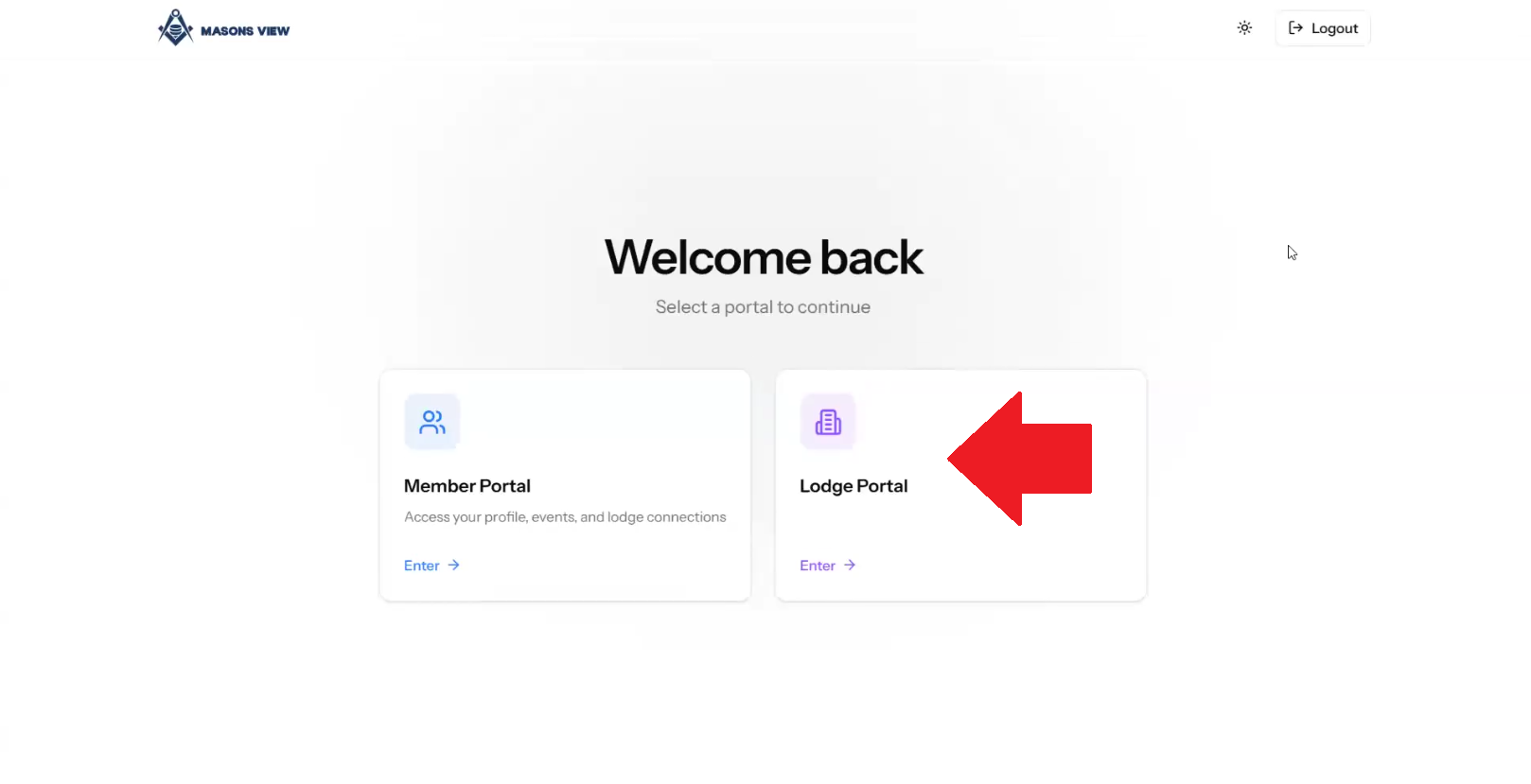
Select the LODGE portal as per the below screenshot.
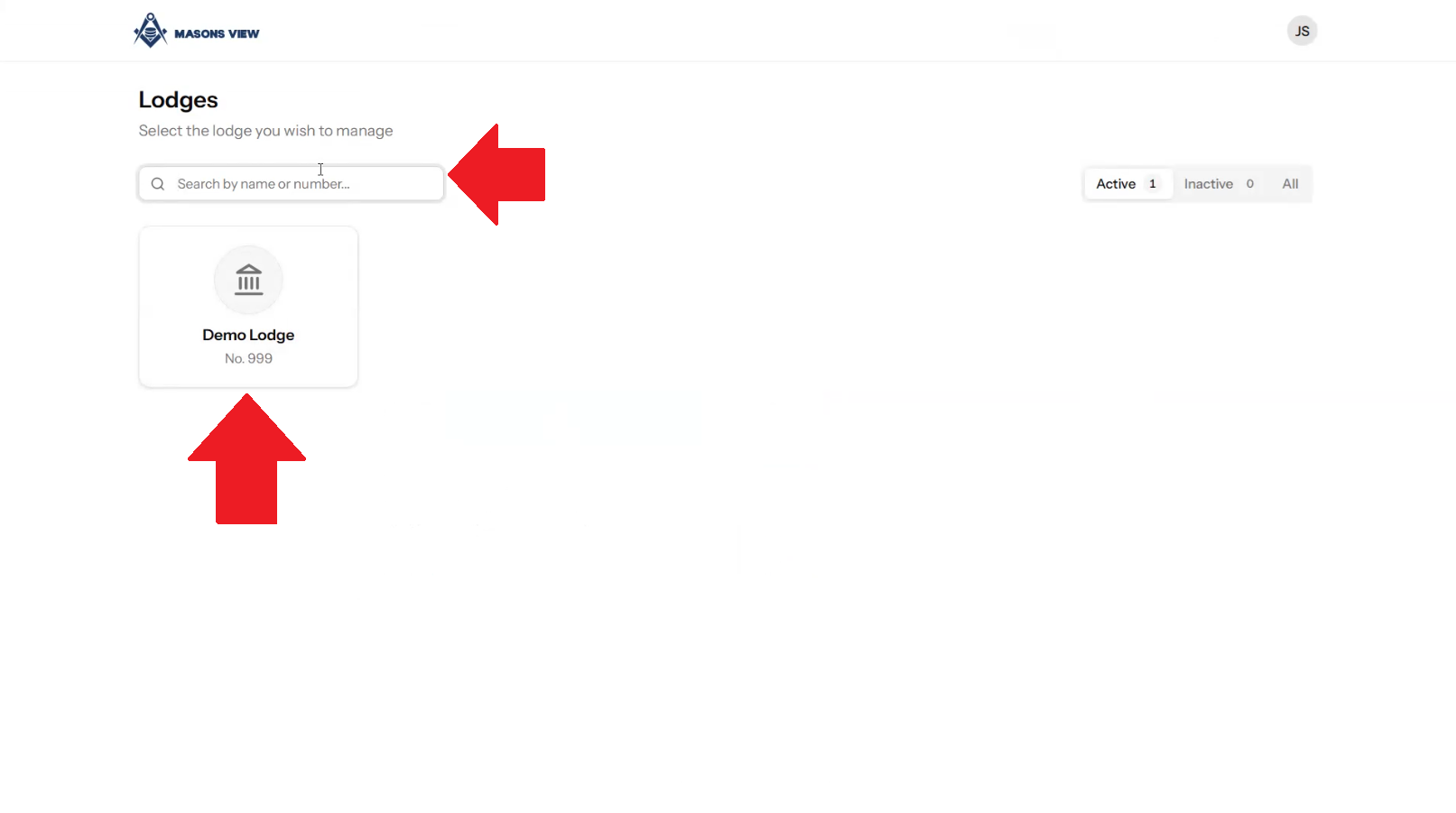
Search for your lodge using the search bar or select your lodge using the buttons on screen.
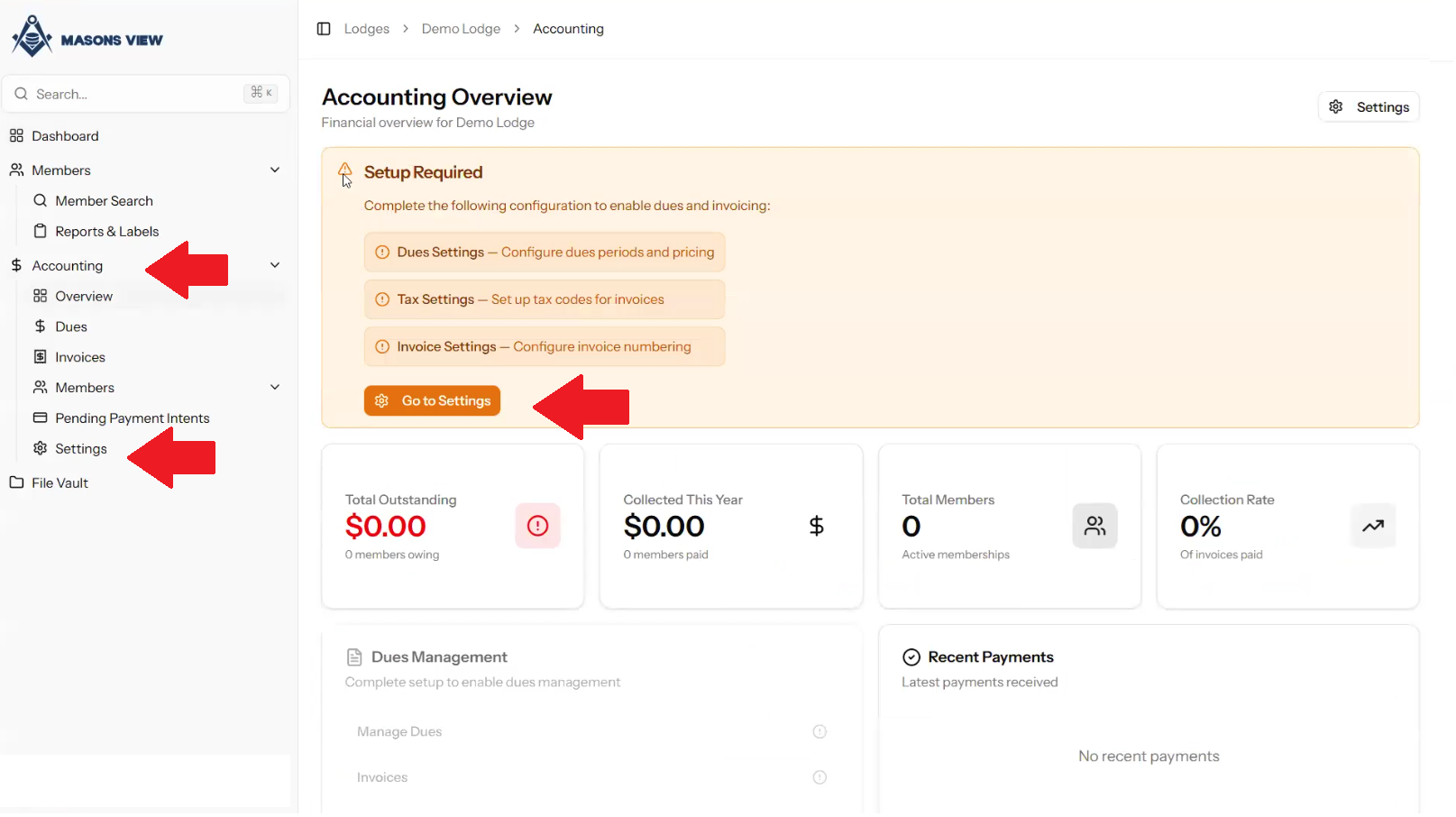
Select ACCOUNTING from the left hand menu to load the accounting dashboard, followed by selecting SETTINGS from either the dashboard itself, or the left hand menu as indicated in the screen grab below.
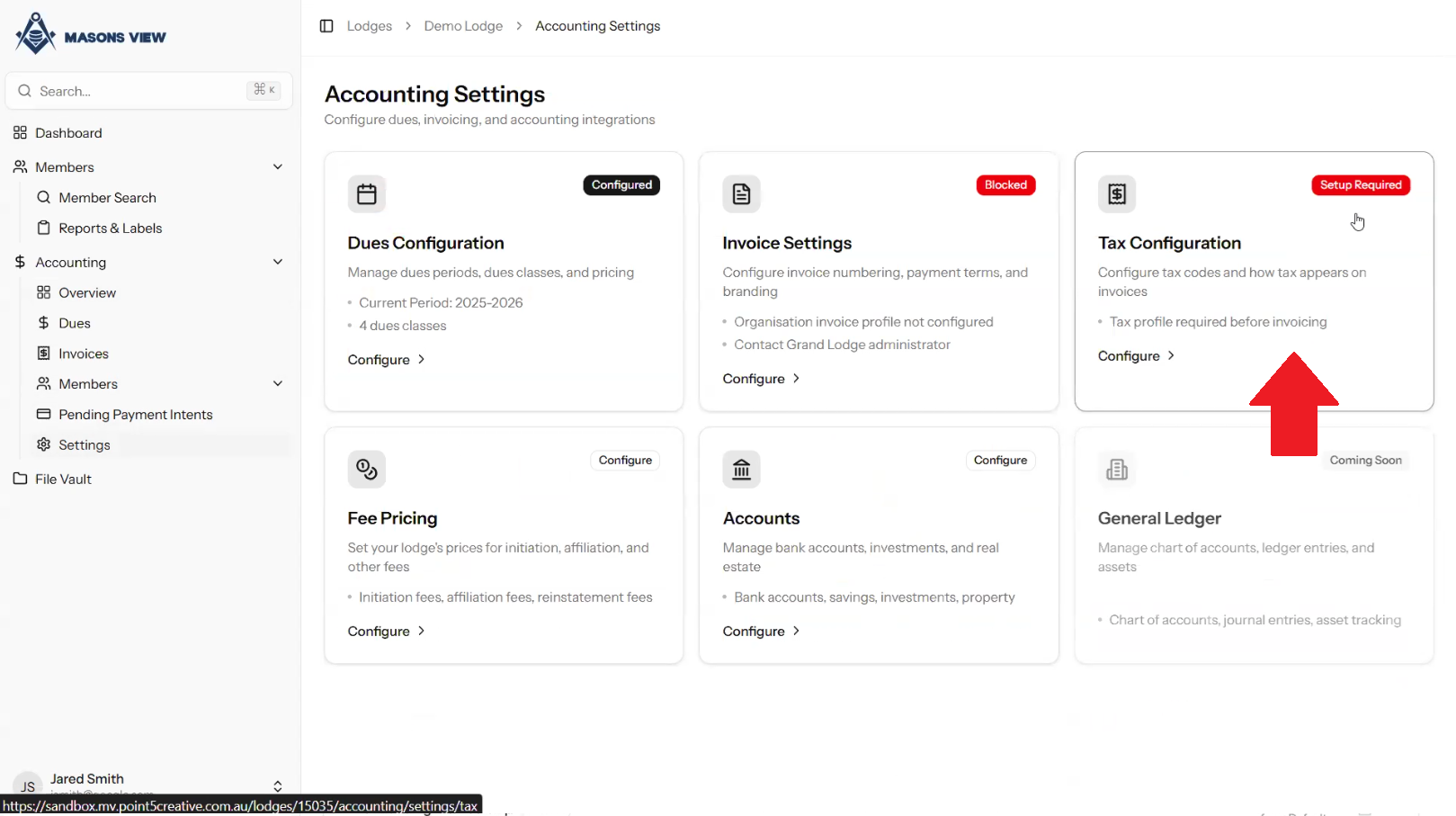
Select TAX CONFIGURATION
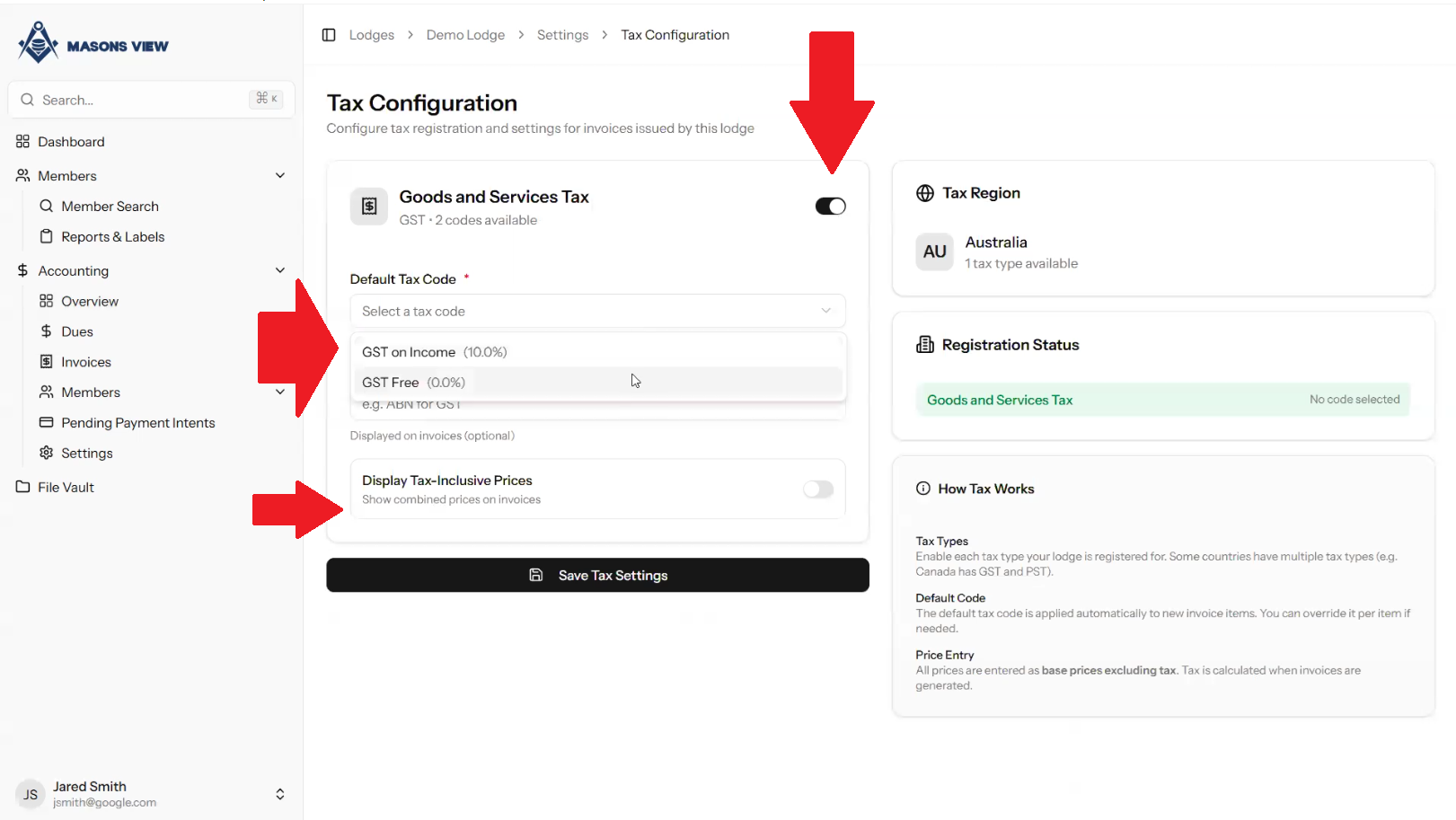
Using the TOGGLE BUTTON next to the GOODS AND SERVICES TAX select whether this is enabled or not for the Lodge in question. Using the dropdown, specify if Lodge is GST free, or whether GST is attracted on income. Finally select if you wish to show GST inclusive prices for invoicing purposes. Click SAVE TAX SETTINGS to finalise your GST setup.
Was this article helpful?
That’s Great!
Thank you for your feedback
Sorry! We couldn't be helpful
Thank you for your feedback
Feedback sent
We appreciate your effort and will try to fix the article