4. Setting up Default Fees as a Lodge Treasurer
Login to your portal using your supplied credentials at https://masonsview.com.au/ .
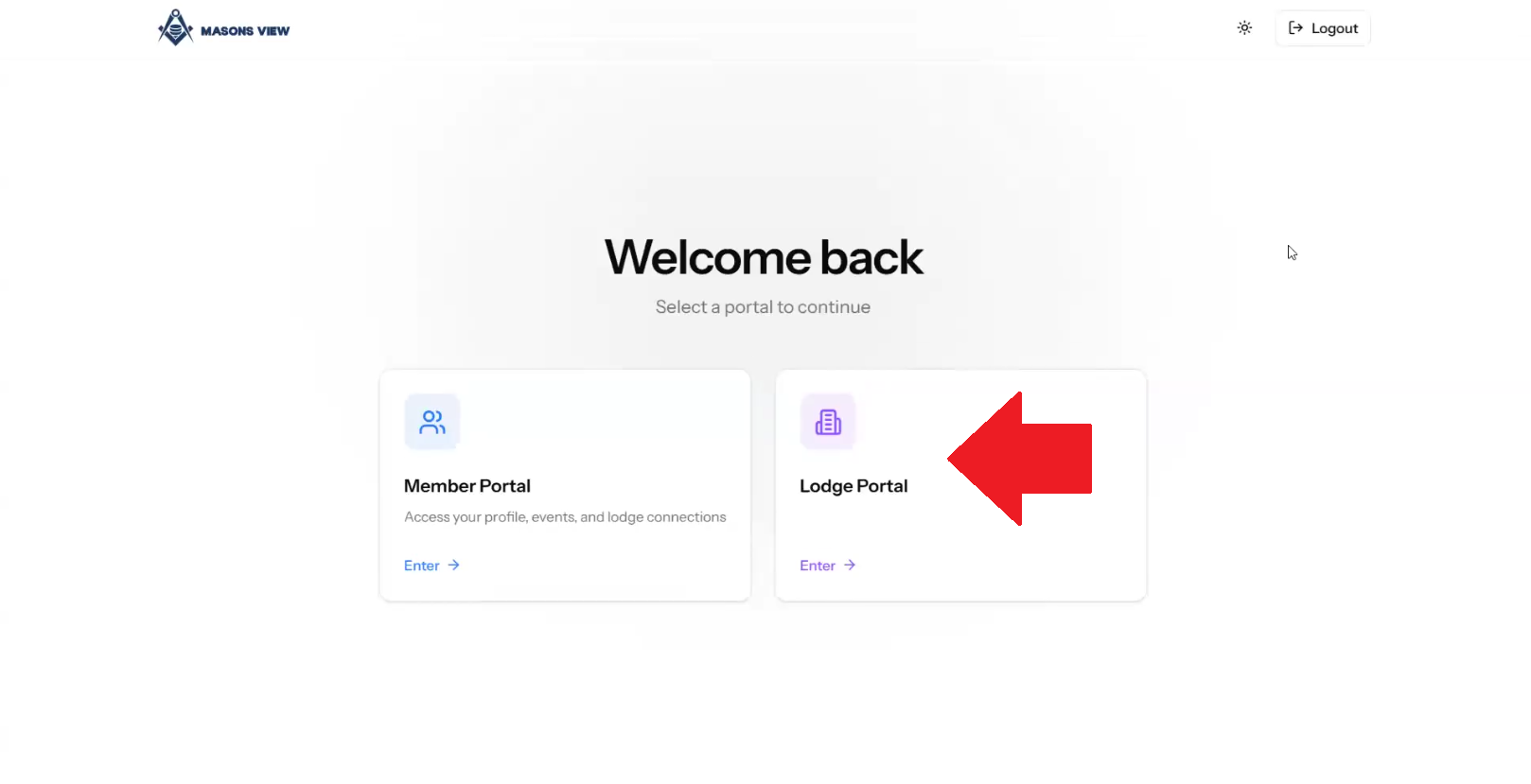
Select the LODGE portal as per the below screenshot.
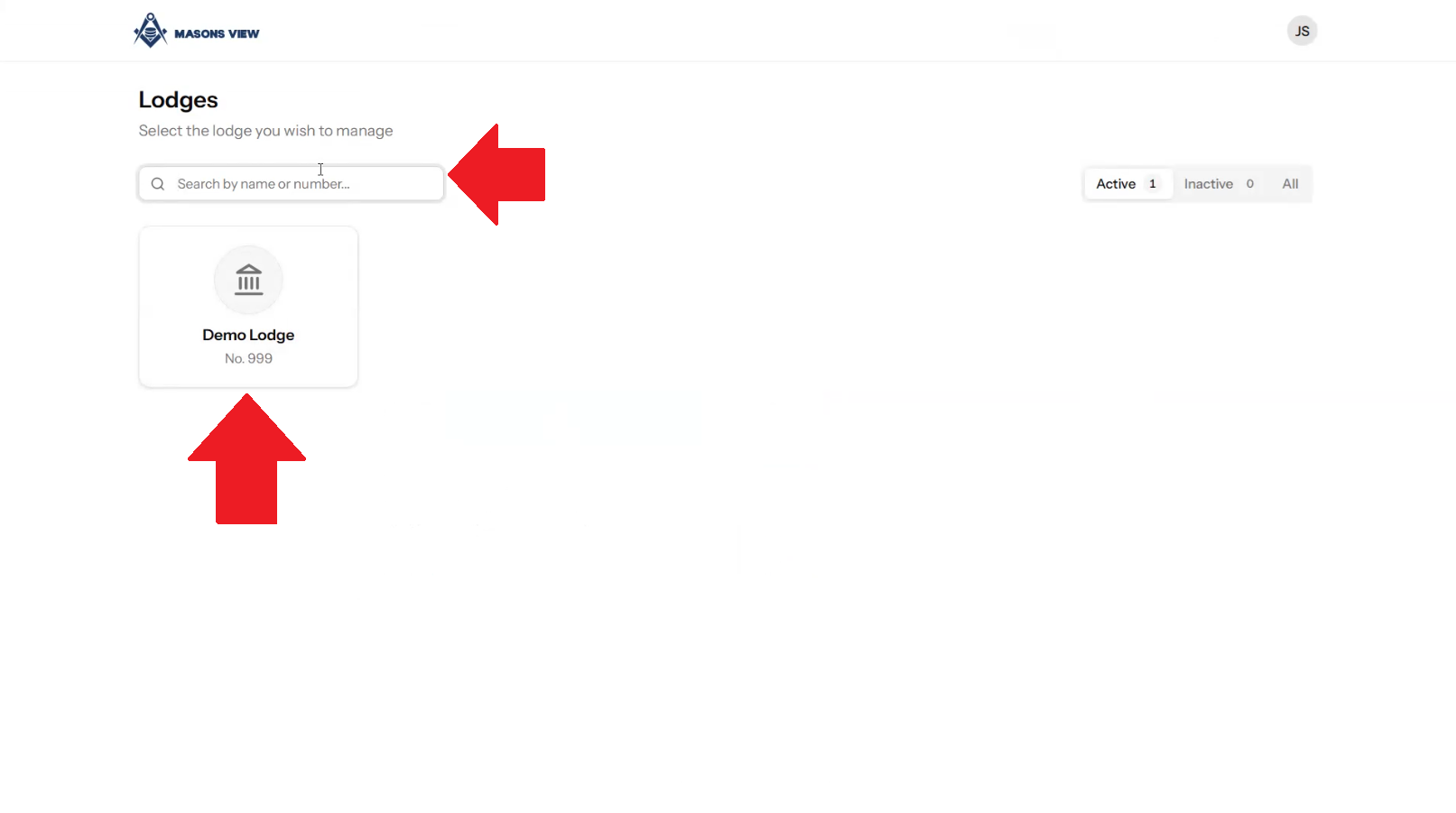
Search for your lodge using the search bar or select your lodge using the buttons on screen.
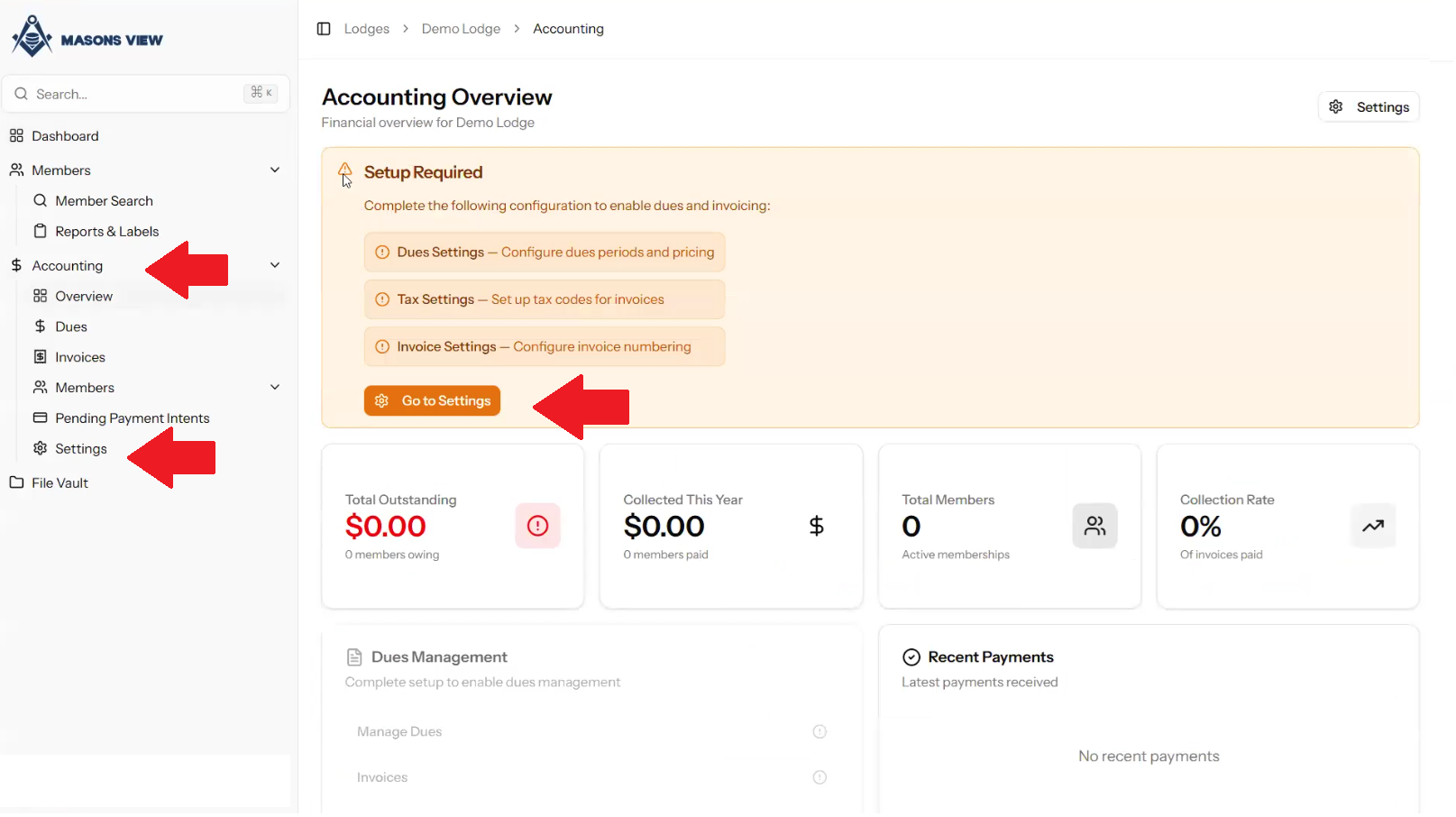
Select ACCOUNTING from the left hand menu to load the accounting dashboard, followed by selecting SETTINGS from either the dashboard itself, or the left hand menu as indicated in the screen grab below.
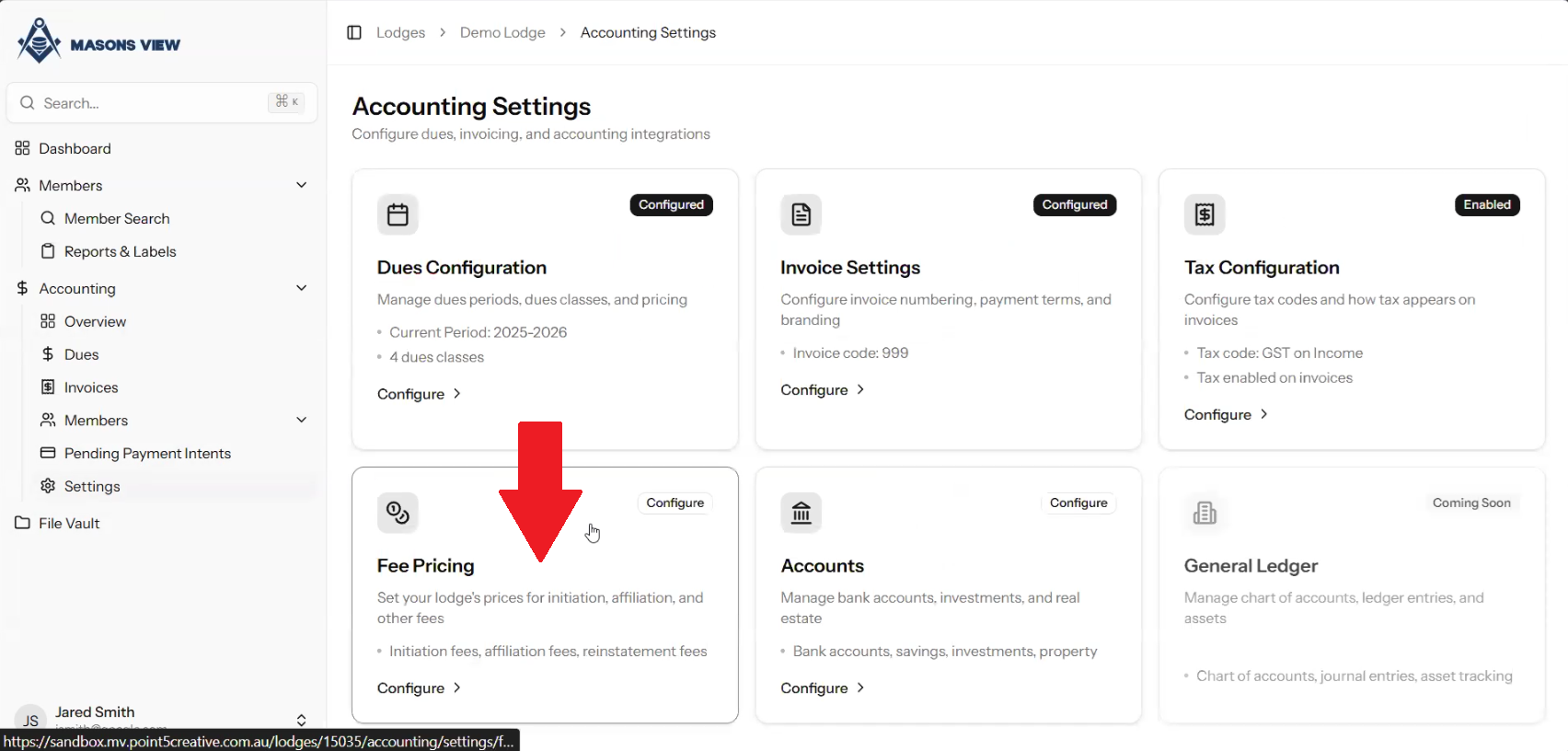
Select FEE PRICING.
Once the FEE PRICING screen loads, as shown below, you are able to set pricing for specific types of fees on a Lodge by Lodge basis. The DEFAULT PRICE is what is set at Grand Lodge level. If you select a line item and click the SET PRICE button next to it, you can edit the price for the Lodge you are logged in as.
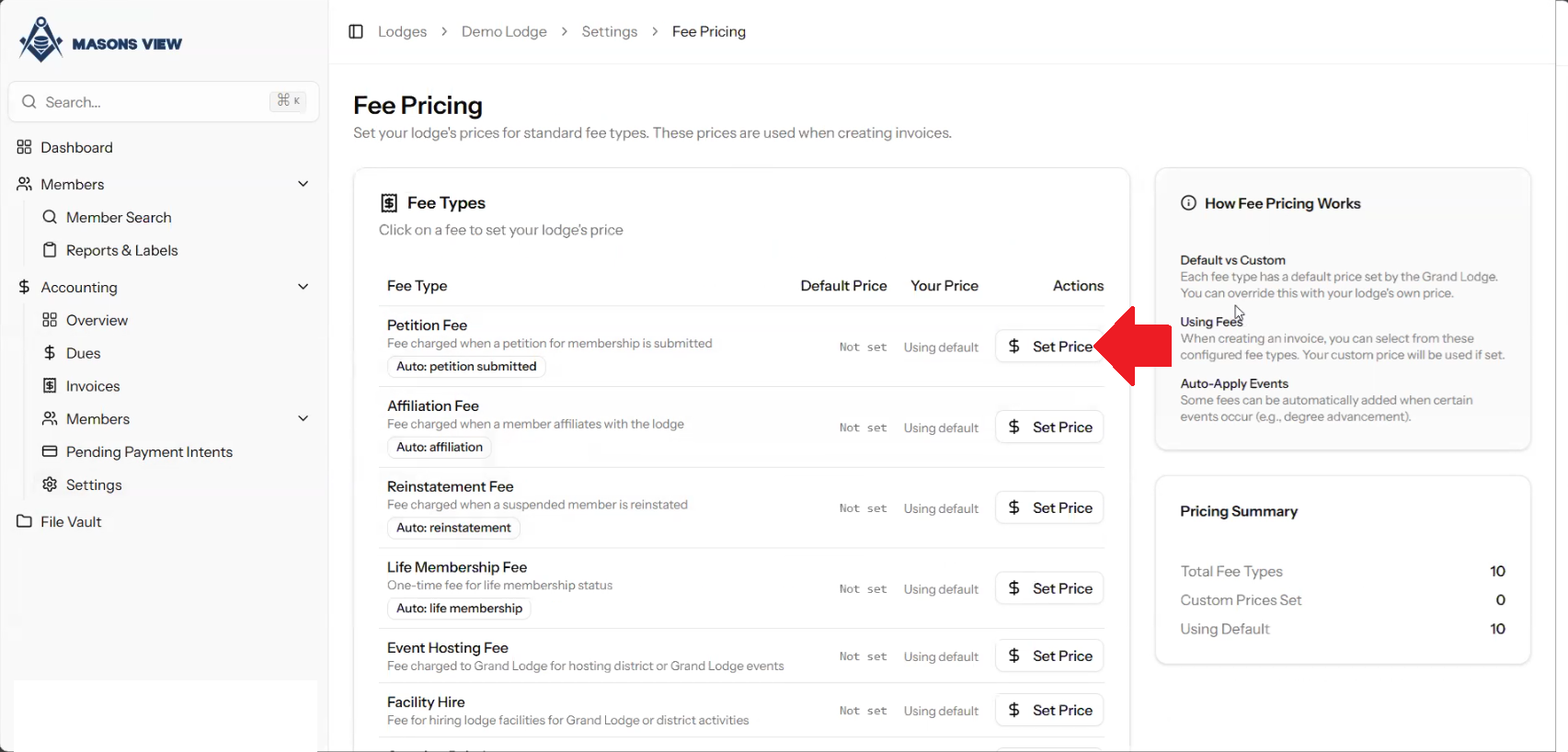
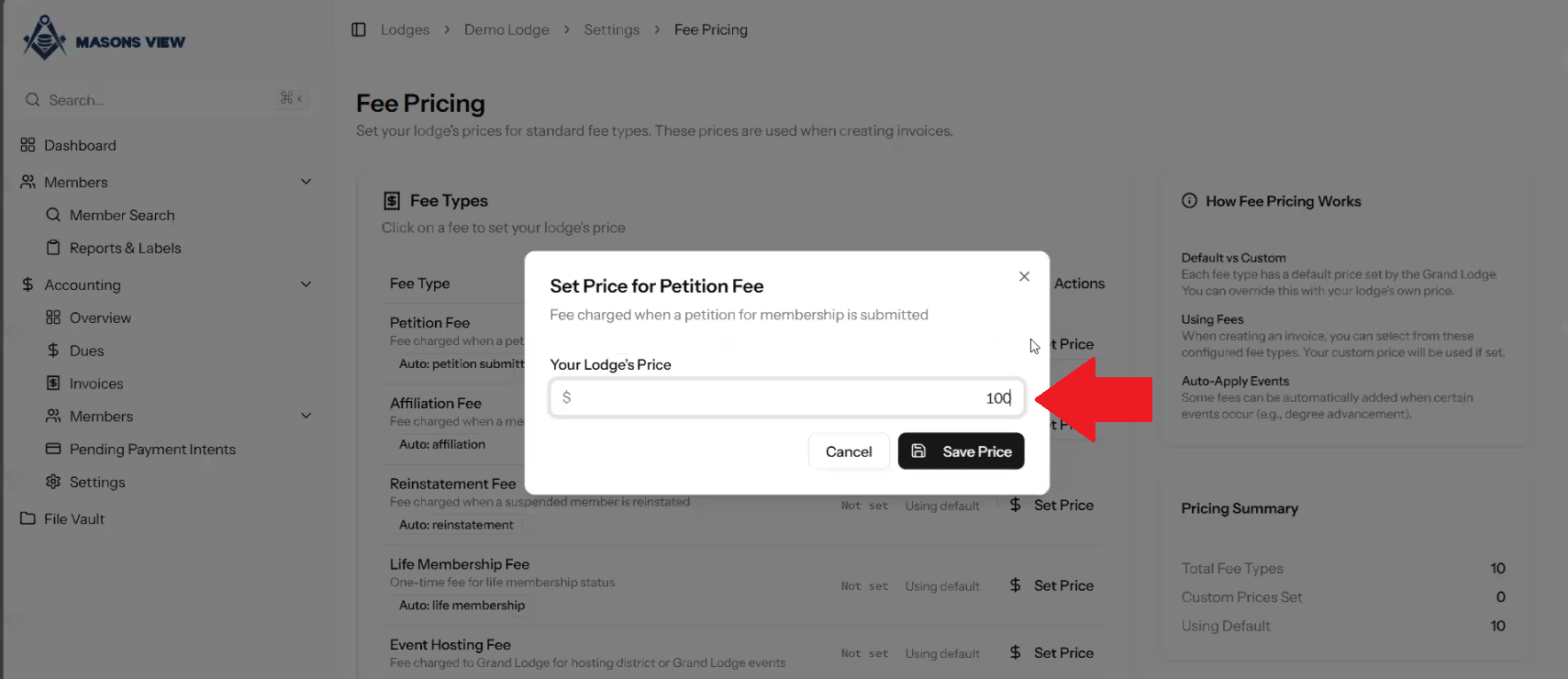
Clicking on SET PRICE enables you to set the price for the selected line item as shown below.
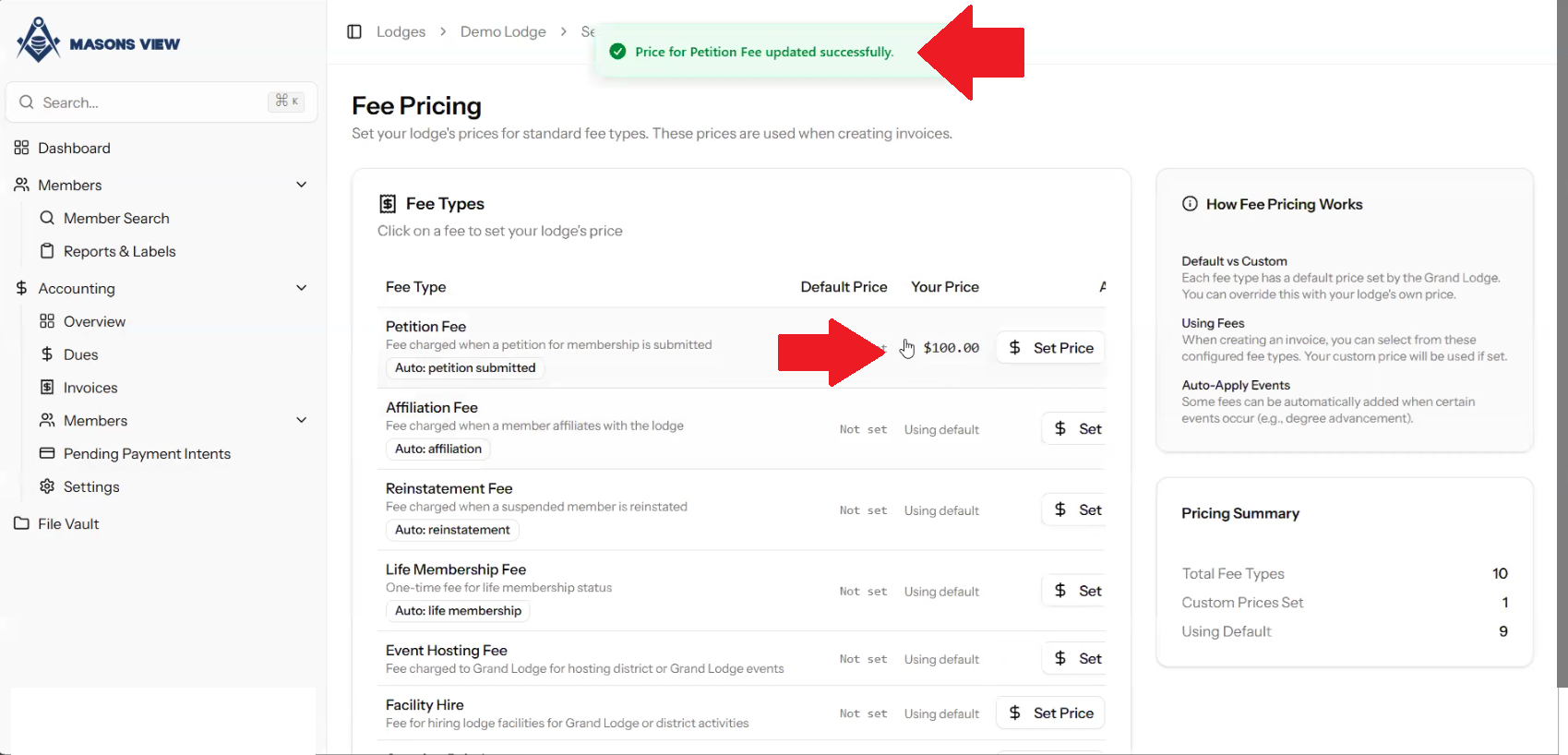
Once you have set the pricing for a line item, you will get a notification at the top of screen that the pricing has been set, as well as a visual display of this newly set pricing.
For additional resources please refer to the below video.
Was this article helpful?
That’s Great!
Thank you for your feedback
Sorry! We couldn't be helpful
Thank you for your feedback
Feedback sent
We appreciate your effort and will try to fix the article